
Free file search and meeting notes for Mac
Ask for any file.
Skip the write-up.
Describe a file and Maison finds it, even when the words are inside a scan or a screenshot. Record a call, and Claude writes up the notes and action items.
Free. No account. Bring your own Claude key. A direct download, notarised by Apple.
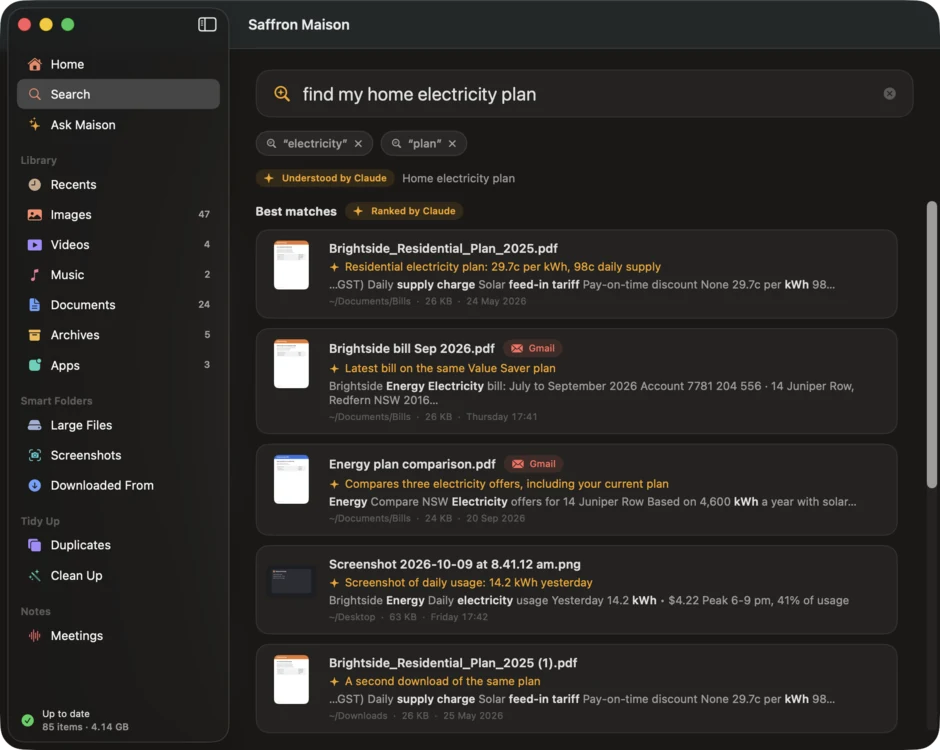
Type it the way you’d say it
Try find my home electricity plan or pdfs from last week over 5 mb.
Filters on your Mac narrow it down, then Claude reads the fuzzy part and ranks the best matches, each with a one-line reason.
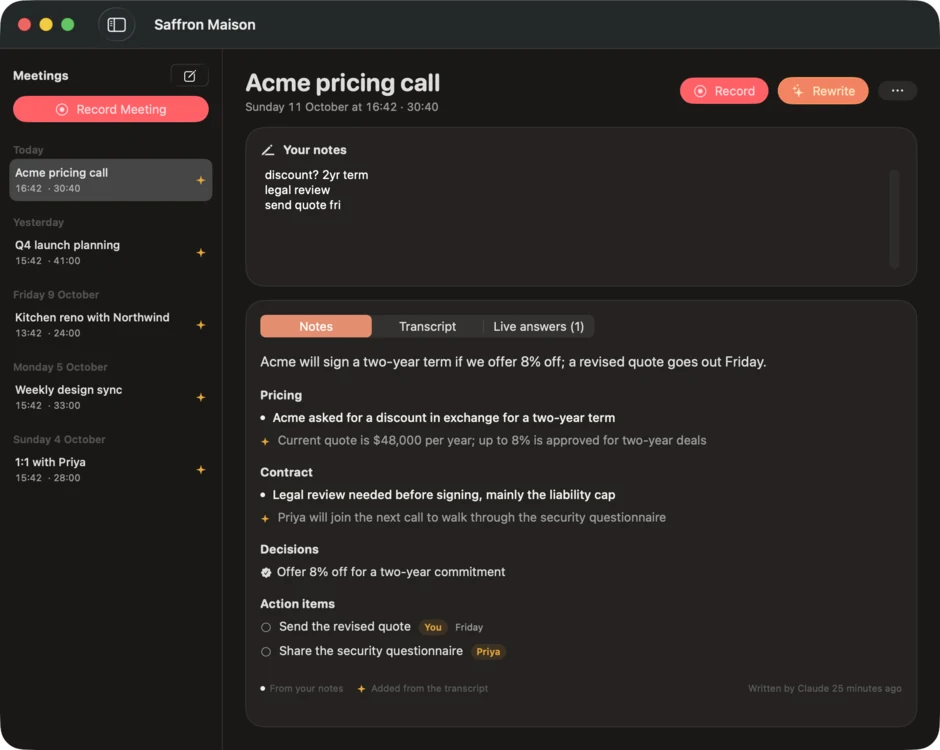
Stay in the conversation
Maison records your microphone as You and the call from Zoom, Meet, Teams or any other app as Them, and transcribes both on your Mac with Apple’s speech models.
Jot shorthand as you go. Afterwards Claude turns it into notes, decisions and action items, with your points kept apart from what it added from the transcript.
Headphones give the cleanest split between You and Them.
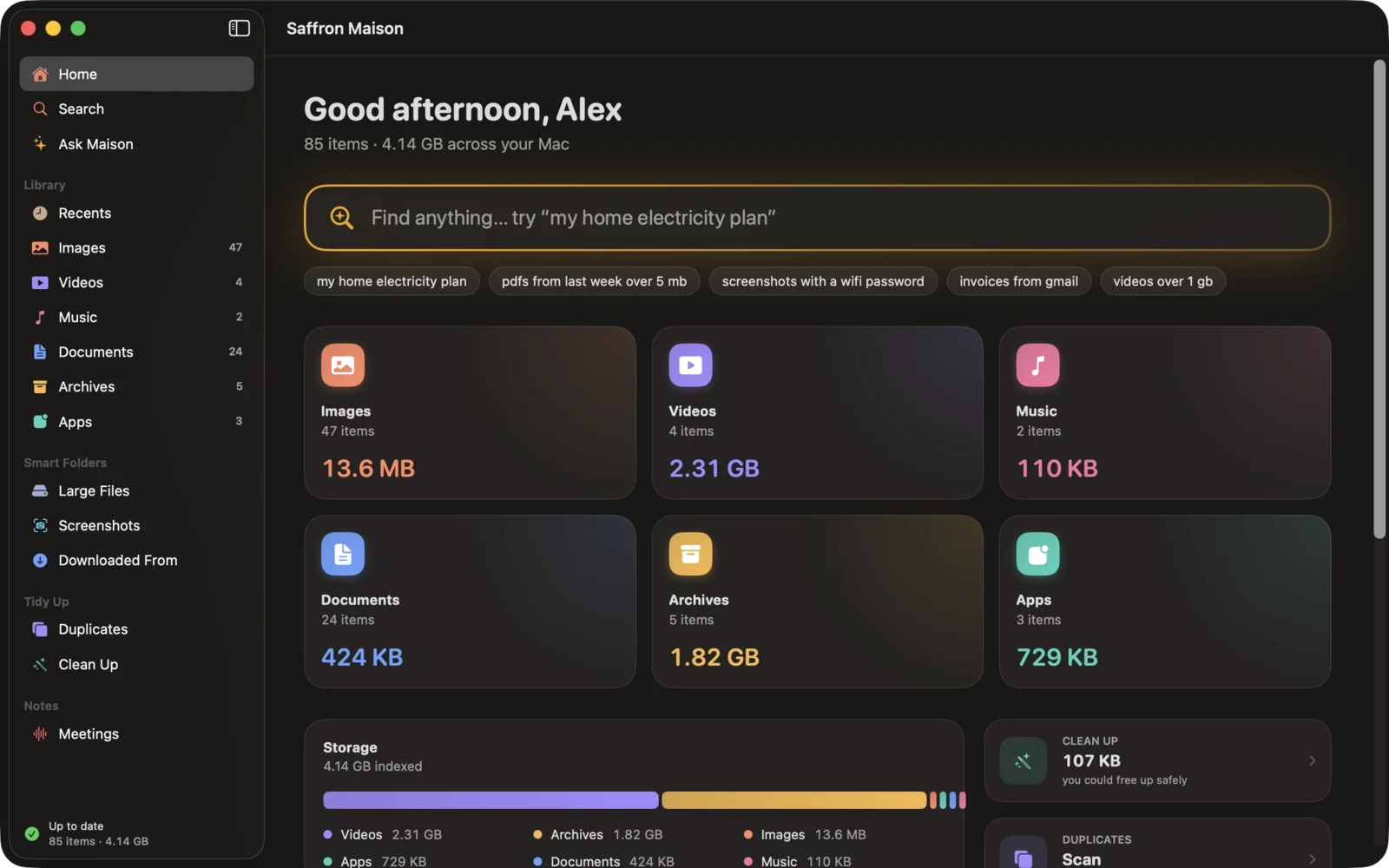
What you saved,
and what was said.
It reads the inside
PDFs, scanned ones included, plus Word, Excel, PowerPoint, RTF, Markdown and code. Even the text in screenshots and photos, which you can copy straight out.
Downloaded From
Files grouped by where they came from: Gmail, Google Drive, ChatGPT, Claude, Slack, WhatsApp, GitHub and any website. Remembering where is enough.
Duplicates, your call
Identical files, and similar photos such as bursts and edits. You choose what to keep.
Clean Up, into the Trash
Old installers, forgotten downloads, old screenshots, large old videos and unused apps. Everything goes to the Trash, never deleted outright.
Answers mid-call
When someone asks something your files or past meetings can answer, the answer appears with its sources while the call is still going.
Ask Maison
Chat across your files, meeting notes and transcripts. Answers come with citations you can click through to the source.
What leaves your Mac,
and when.
- The heavy lifting stays home. Indexing, text recognition, duplicate detection and transcription run on your Mac, and the library database stays there too.
- A search sends a shortlist, not files. Claude gets your request with today’s date, time zone and region, then a line for each of about 30 likely matches: name, type, size, dates, folder, where it came from, and up to 280 characters of its text. Never a whole file. Both steps can be switched off in Settings.
- Meetings go for write-ups and answers. Transcripts and notes go to Claude only to write up notes, give live answers or answer Ask. With a key, write-ups happen when a meeting ends and live answers during the call, and each has a switch in Settings. Passages quoted from your files and past meetings are capped at 900 characters.
- Straight to Anthropic, on your key. Every request goes from your Mac to Anthropic under your own API key. No Saffron account, no relay through us, no analytics, no telemetry. Anthropic’s own terms and privacy policy cover what it does with them.
- Updates carry nothing of yours. The update check downloads a feed from downloads.saffronsuite.com and sends nothing about you or your files.
Every detail is in the privacy policy.
What you need
- A Mac on macOS 26 or later
- Downloaded from this page, signed with our Developer ID and notarised by Apple. Updates arrive inside the app.
- A Claude API key, for the AI parts
- Create one in the Claude Console. Maison keeps it in your Mac's keychain.
- Or no key at all
- The library, local search, duplicates, clean-up and transcription work without one.
- Three permissions
- Your Desktop, Documents and Downloads folders, the microphone, and system audio recording, which macOS asks for the first time you record.
Fair questions
- Is it really free?
- Yes. There's no price and no account. The AI features run on your own Claude API key, so any cost for those is between you and Anthropic.
- Why isn't it on the App Store?
- The App Store only takes sandboxed apps, and Maison can't be sandboxed: it indexes folders across your Mac and captures call audio. So you download it from us, signed with our Developer ID and notarised by Apple.
- Do I need Claude, and what does it cost?
- Only for the AI parts: understanding fuzzy searches, ranking results, meeting notes, live answers and Ask Maison. Anthropic bills that API use to your own Console account. Claude Max and Team plans include monthly API credits, which you claim by linking a Console organization in claude.ai under Settings → Billing; Pro plans don't include them.
- What does Claude see?
- Only what each request needs, sent straight from your Mac to Anthropic under your own key. For a search, that's your request and a short line for each of about 30 likely matches, never whole files. Meeting transcripts and notes go only for write-ups, live answers and Ask.
- Will it delete my files?
- Never outright. In Duplicates you choose what to keep, and anything you remove, there or in Clean Up, goes to the Trash.
- How do updates work?
- They arrive in the app, through Sparkle. The update check downloads a feed from downloads.saffronsuite.com and sends nothing about you or your files. The download on this page is always the latest version too.
Claude is a trademark of Anthropic. Saffron Maison is independent and not affiliated with or endorsed by Anthropic.
Just ask.
Free, with no account. Download it, let it read your folders, and ask for that file from last week.